- Games
“The Great Villainess: Strategy of Lily” Strategy Guide (TIPS①)

The Great Villainess: Strategy of Lily is a turn-based strategy game with a satisfying level of challenge.
Here’s what you need to know to beat the game.
TIPS ①
GAME TIPS
General Tips
The story has multiple endings depending on the player’s actions.
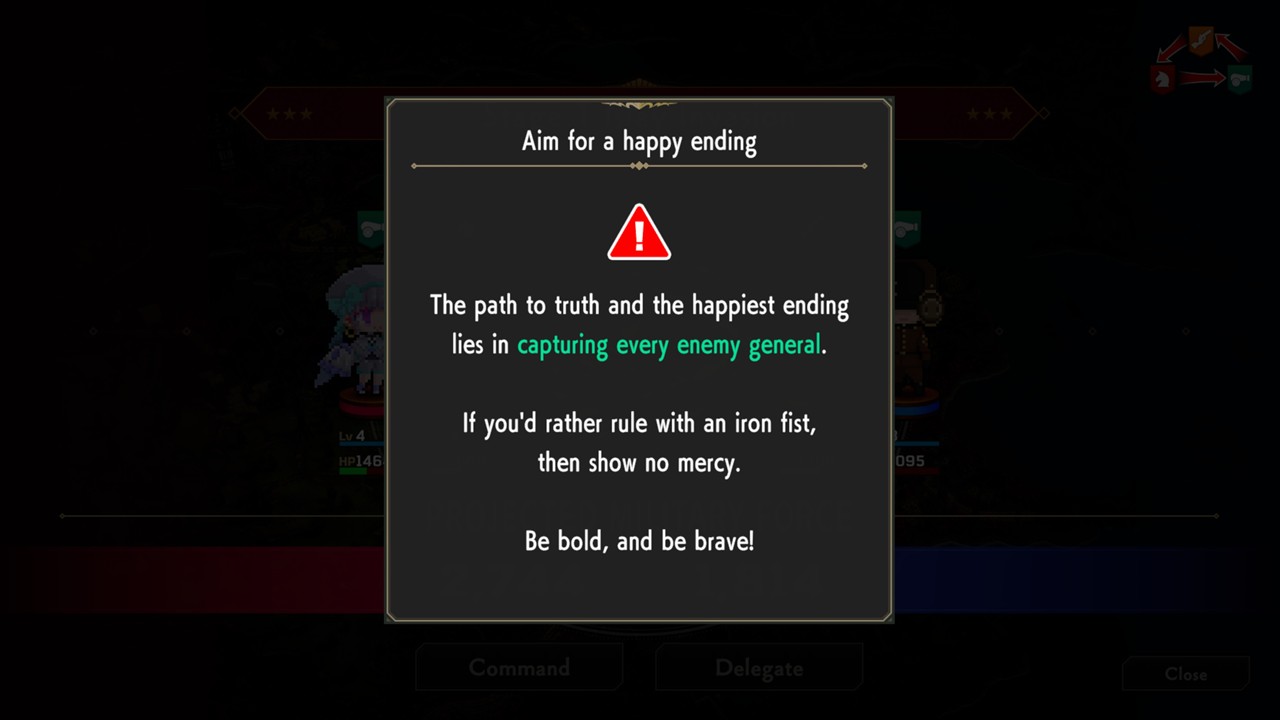
To reach the best ending, you must capture all enemy generals without executing them and uncover the truth behind the incident.
This guide covers general tips and key points for capturing all enemy generals.
Game Progression

The story progresses in chapters called Acts.
Each act features a key enemy general. The game advances once the general is either “captured” or “defeated (HP reduced to 0).”
Victory and Game Over Conditions
➤ Victory: Capture or defeat the boss of each act.
➤ Game Over: Scarlet or Lily is defeated in battle.
If either Scarlet or Lily is defeated, it’s game over, and you’ll need to reload from a save slot.
Other characters will revive after a few turns even if they’re defeated, and losing your base does not result in a game over.
Avoid letting Scarlet or Lily fall while focusing on capturing or defeating the boss generals.
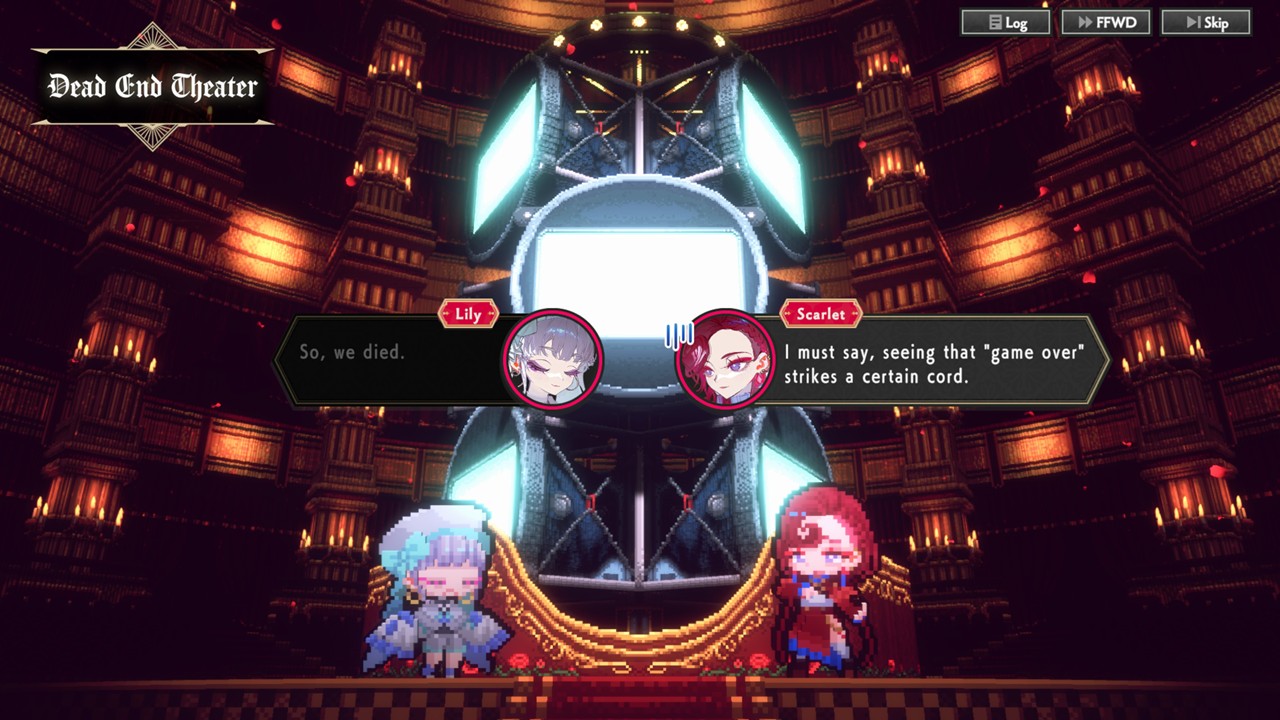
When you are defeated, a special “Dead End Theater” will play based on the situation.
These sometimes contain helpful hints, so don’t be afraid to fail and try new strategies.
Menu Tips
Menu Icons

During gameplay, you’ll see menu icons at the bottom of the screen.
➤ UNIT: View stats and the list of both enemy and allied units.
➤ INFO: View details of the story, backgrounds, characters, and game settings.
➤ SAVE: Save or load your progress.
UNIT Menu
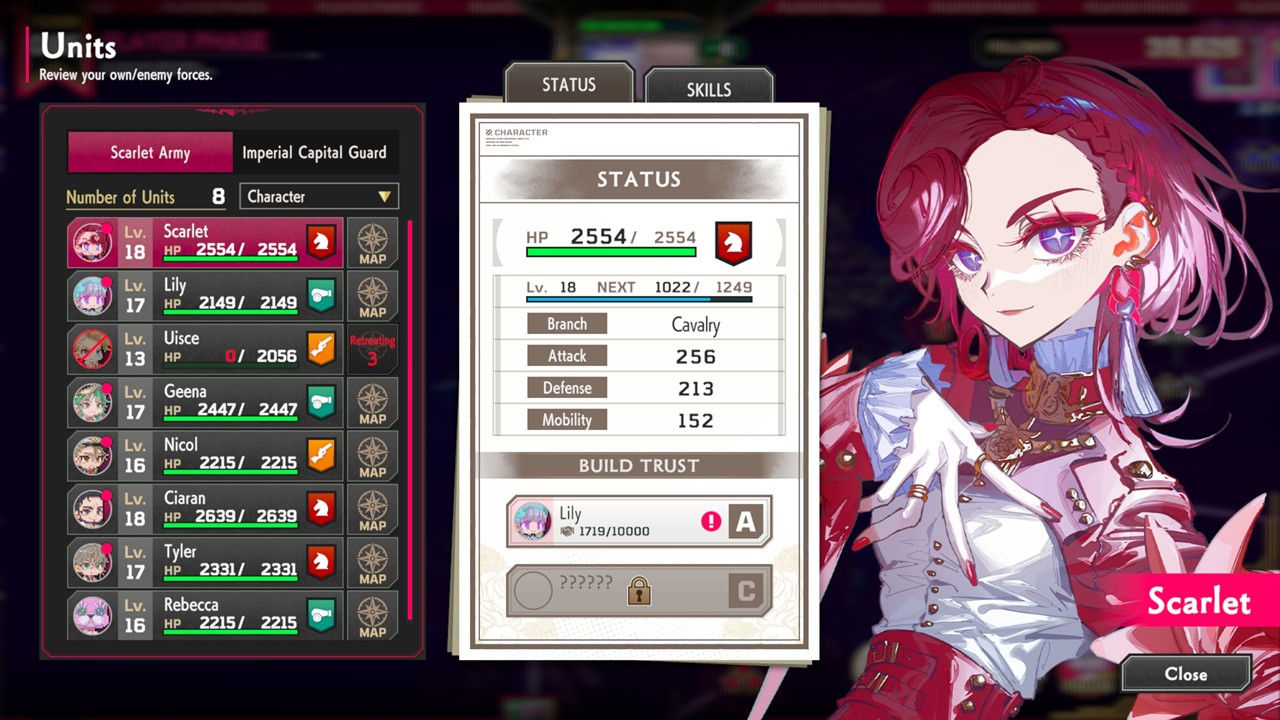
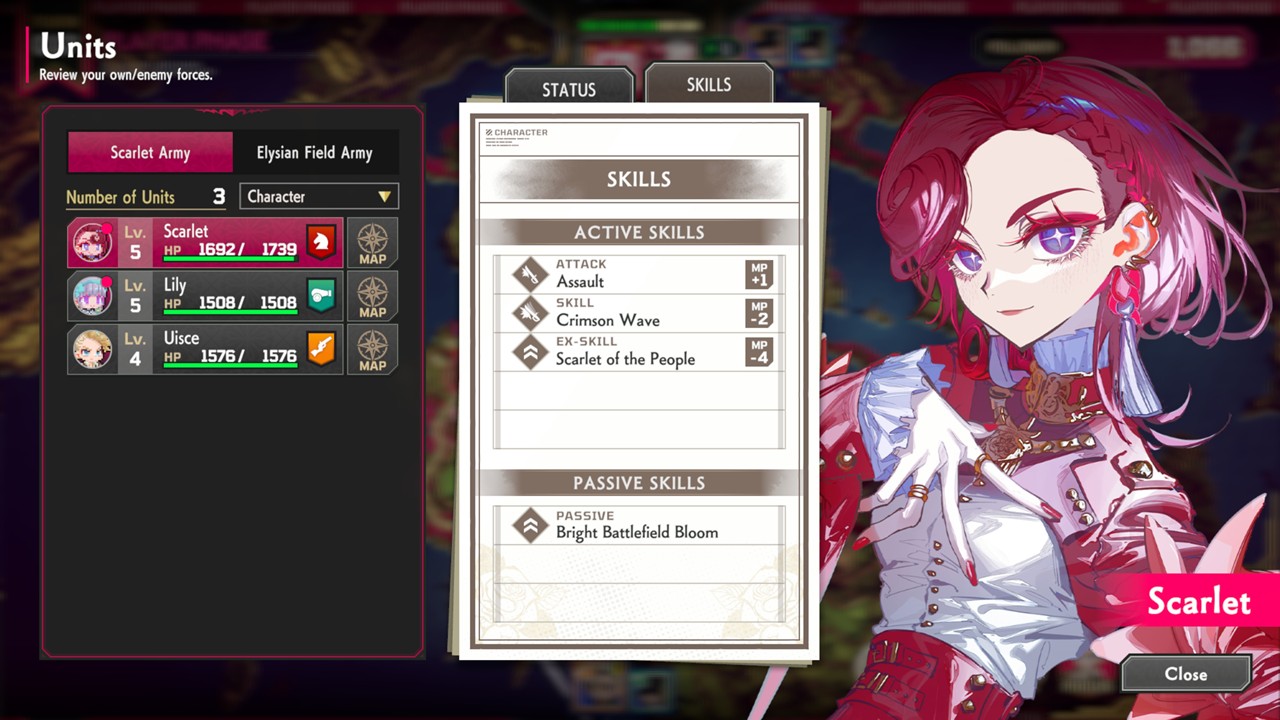
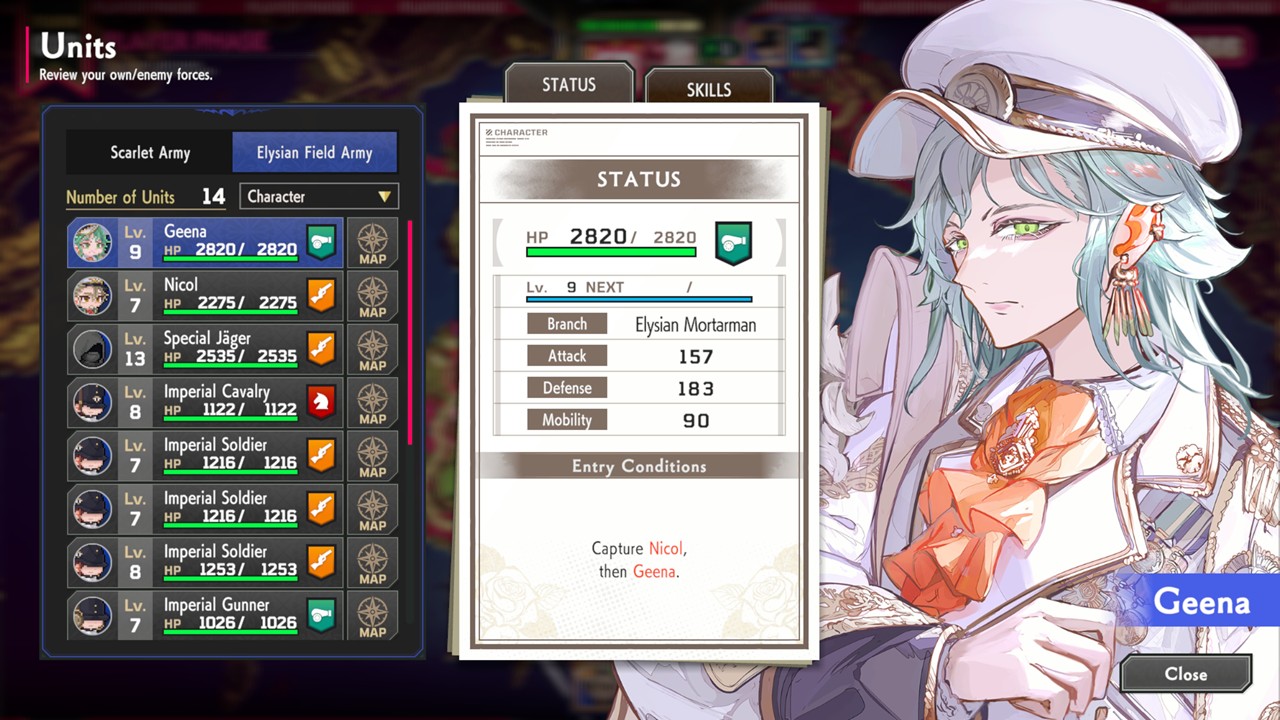
In the UNIT menu you can:
➤ Check character stats and skills.
➤ View trust levels (and you can view “Unite Episodes”).
➤ Enemy stats and skills are also viewable.
For recruitable characters, their recruitment conditions are shown.
INFO Menu
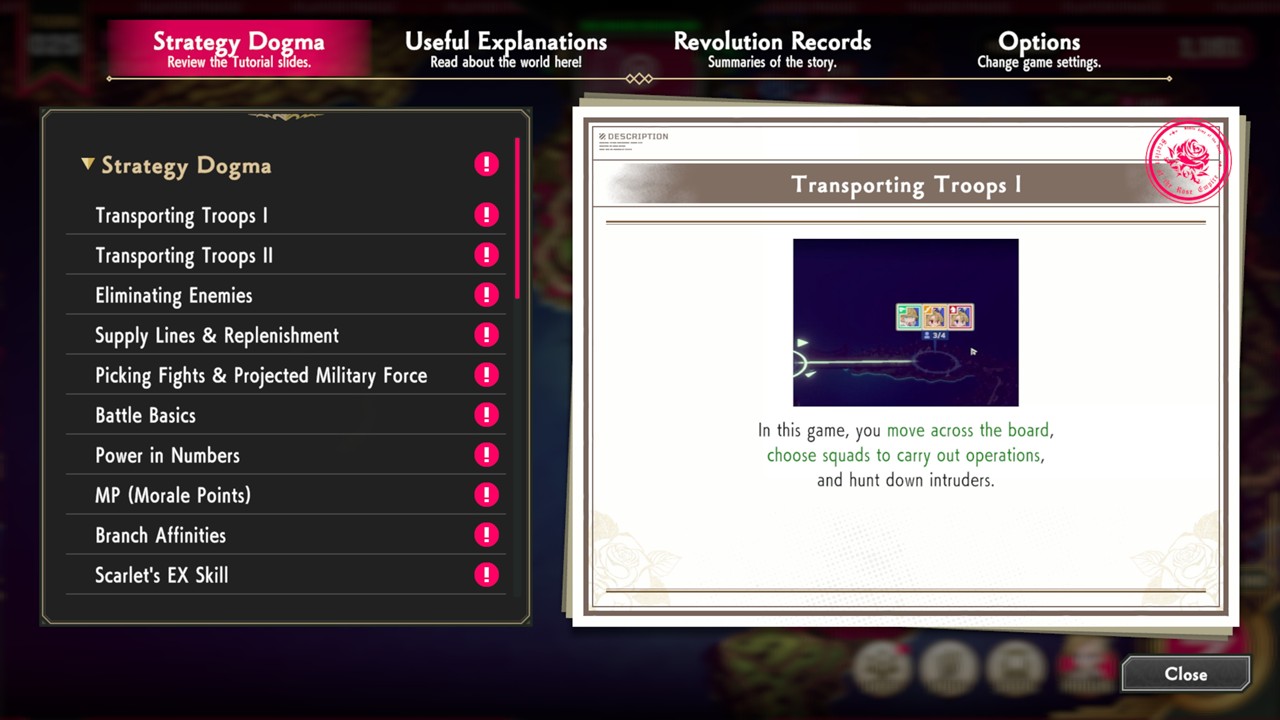
The INFO menu includes Strategy Dogma which explains core gameplay and systems.
Useful Explanations which has a glossary of world and character terminology and Revolution Records where you can read summaries of the story.
Use these when you get stuck or want to learn more about characters.
Tips: The game feels too hard?
You can change the mode anytime from the options menu.
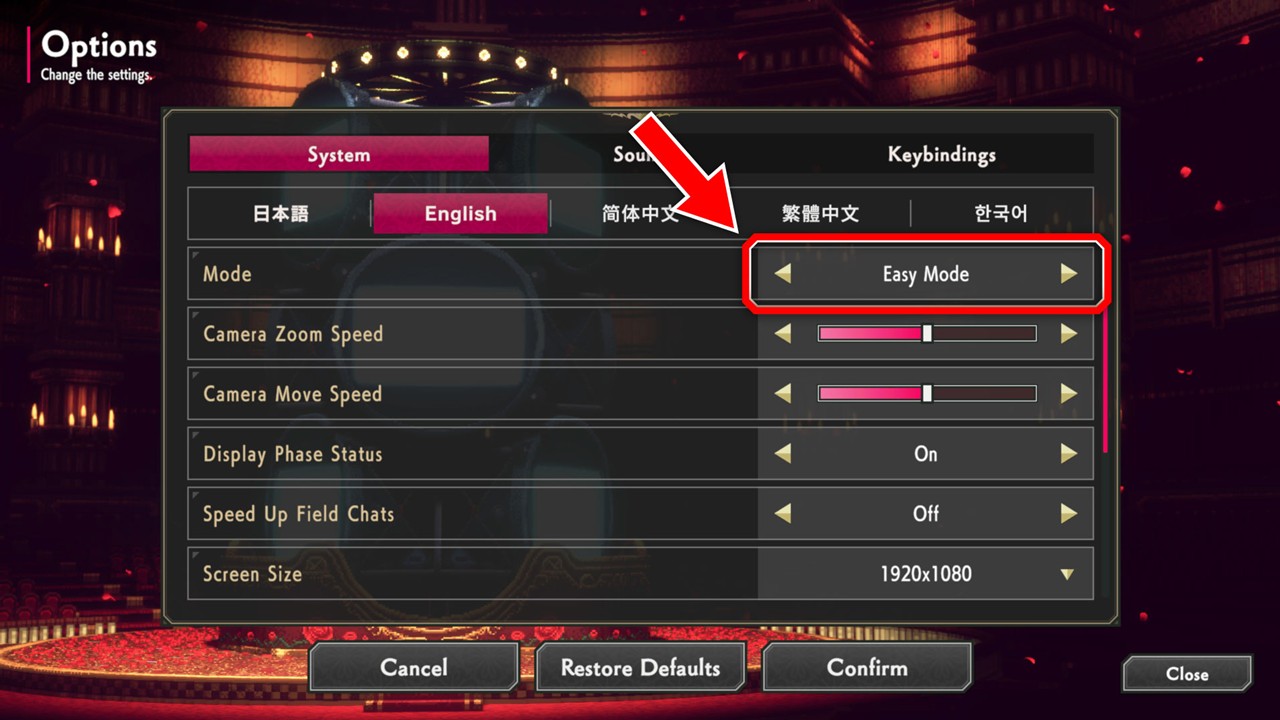
➤ Strategy Mode: For players who want a challenging, strategic experience.
➤ Easy Mode: For players new to strategy games who want to enjoy the story.
In Easy Mode, enemy units are generally weaker, but the story and characters remain the same.
Play in the mode you’re most comfortable with.
SAVE Menu
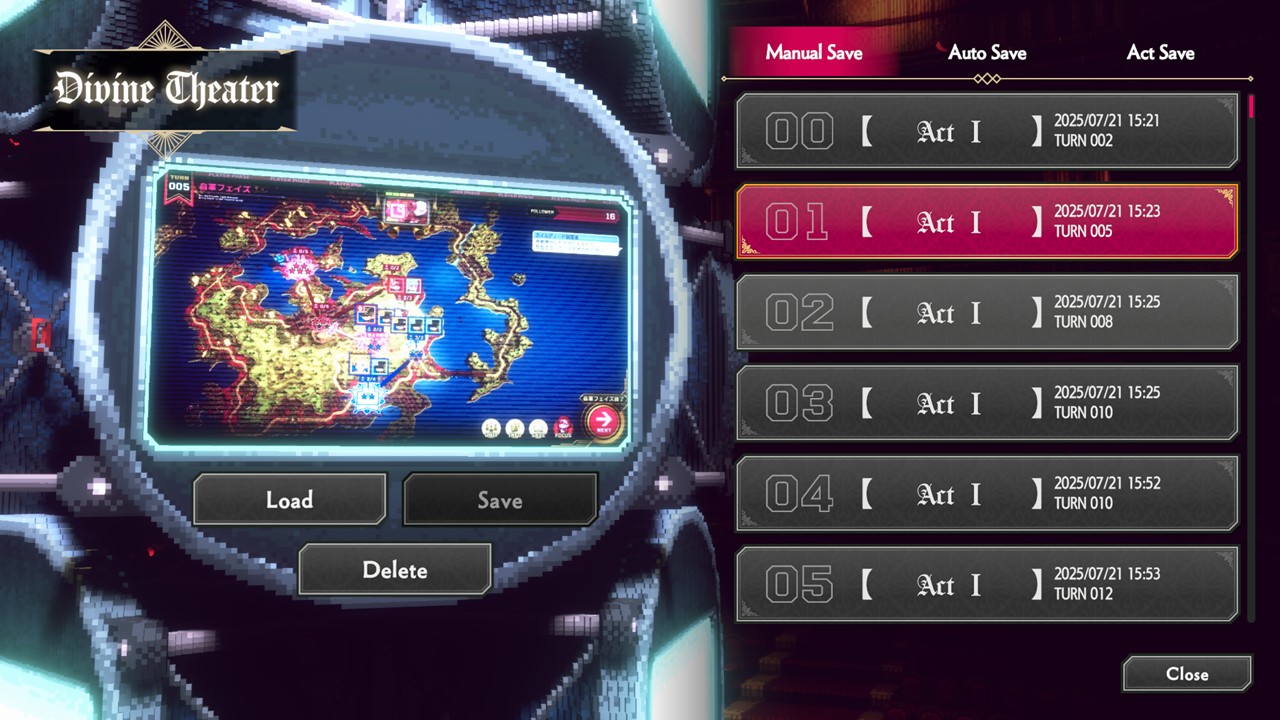
There are three types of save data.
Manual Saves: Up to 100 slots.
Auto Saves: Saves every turn.
Act Saves: Saved at key points in the story.
Auto Saves only retain the last 10 turns, so remember to save manually at important points in the game.
Some data, like glossary progress, are shared across save files.
To reset everything, use “Delete All Data” from the title screen.
(This erases ALL save files).
Focus
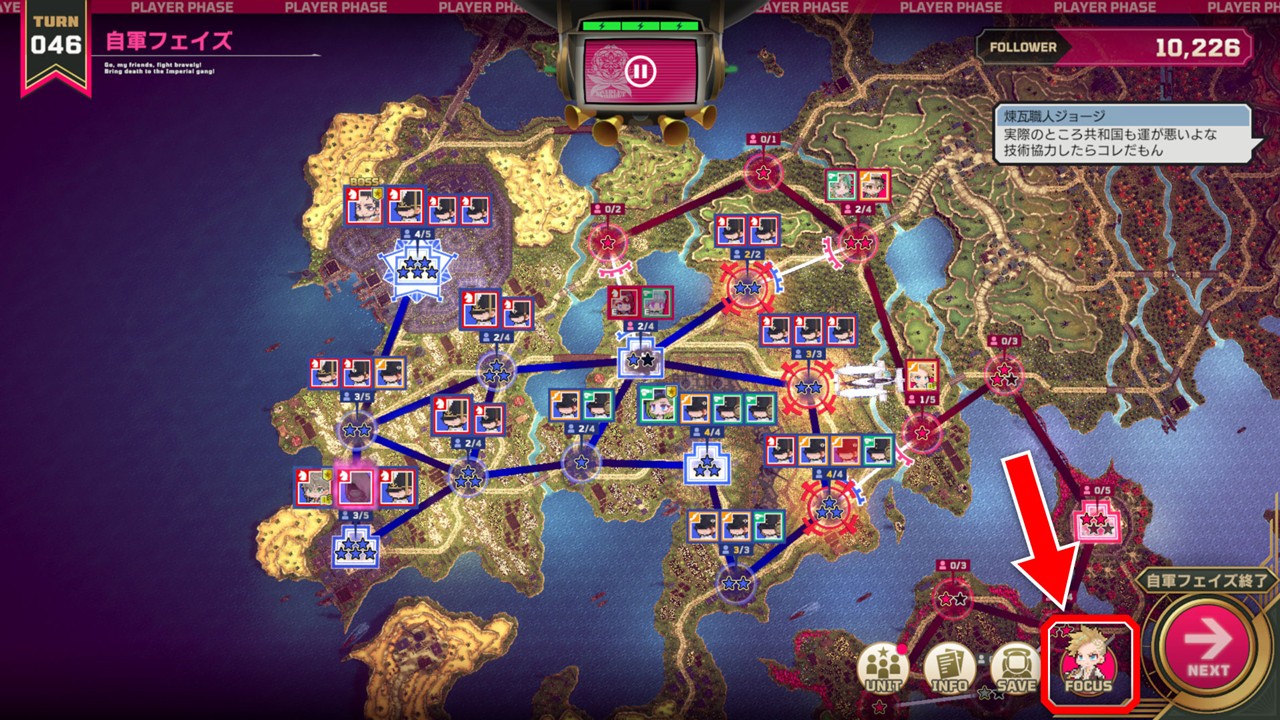
Pressing the “Focus” button cycles through your allies that haven’t acted yet.
This becomes helpful as more units join your army.